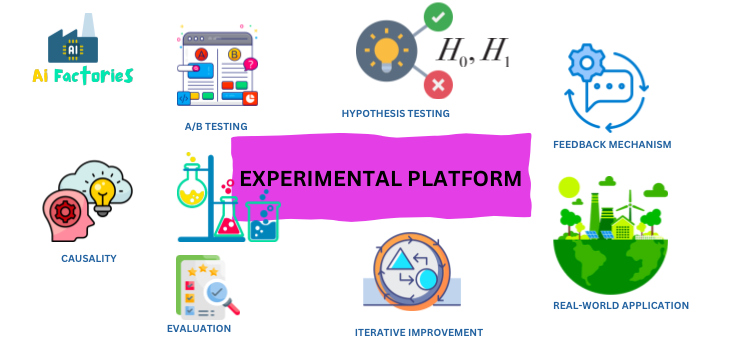
Experimentation platforms are one of those invisible infrastructure layers that quietly determine which features ship, which UI changes stick, and which product bets get doubled down on. Every time you open Spotify, LinkedIn, or any modern tech product, you’re almost certainly enrolled in at least one running experiment. This post is everything I wish I had when I started building and running experiments — from the fundamentals to the hairy edge cases.
What Is an Experimentation Platform?
An experimentation platform is the infrastructure that allows teams to run controlled experiments — most commonly A/B tests — at scale. At its core, it answers one question: did this change cause a measurable improvement?
The key word is causal. Unlike analytics dashboards that show correlations, a well-run experiment gives you causal evidence because it randomly splits users into groups, changing only one variable between them.
A complete platform handles:
- Assignment — deterministically placing users into control/treatment groups
- Configuration delivery — serving the right experience to each user
- Exposure logging — recording who actually saw what
- Metric computation — aggregating business and product metrics per group
- Statistical analysis — deciding whether observed differences are real or noise
- Experiment management — the UI and workflow for creating, launching, and reviewing experiments
Without this infrastructure, teams either skip experiments entirely (dangerous) or run them in ad-hoc, error-prone ways (often worse than skipping).
Core Concepts
Hypothesis and Variants
Every experiment starts with a hypothesis: “If we change X, we expect to see Y change in metric Z.” A hypothesis has:
- A control group — the existing experience, your baseline
- One or more treatment groups — the modified experience(s)
Hypothesis: "Showing a progress bar during checkout will increase completion rate."

Control  (50%): Checkout without progress bar
Treatment (50%): Checkout with progress bar

Primary metric: checkout_completion_rate
Guardrail metrics: page_load_time_p99, error_rate
Randomisation Unit
The randomisation unit is the entity you split — most commonly a user, but it can be a session, a device, a request, or even a geographic region. Choosing the wrong unit is one of the most common early mistakes.
User-level:    Same user always sees the same variant → stable UX, good for most features
Session-level: Variant can change between sessions → useful for anonymous traffic
Request-level: Different variant per request → only safe for stateless changes (e.g. ranking)
The golden rule: your randomisation unit must be the same unit you measure your metrics on. If you split by user, measure by user. Mixing these causes dilution bias.
Traffic Allocation
Traffic allocation defines what percentage of eligible users enter the experiment at all, and how that traffic is split across variants. A 10% / 90% holdout is common when you want to ship quickly but still measure impact:
Total traffic
  └── 10% enters experiment
        ├── 50% → Control
        └── 50% → Treatment
  └── 90% → Holdout (sees neither variant, gets default)
Metrics
Metrics fall into a few categories:
- Primary metric — the one you’re trying to move. Your hypothesis is directly about this. You get one.
- Secondary metrics — supporting evidence. Moving in the expected direction builds confidence.
- Guardrail metrics — things you must not make worse. Latency, error rates, revenue per user. A treatment that improves click-through but tanks page speed fails the guardrail check and shouldn’t ship.
- Debug metrics — operational signals (assignment counts, event volumes) used to detect platform bugs.
Platform Architecture
A production experimentation platform has three major subsystems:
1. Assignment Service
The assignment service takes a user (or other unit) and a list of active experiments, and deterministically returns which variant that user belongs to.
The canonical implementation uses consistent hashing: hash the combination of user_id + experiment_id (or a random salt to avoid correlation) into a number from 0–99, then map buckets to variants.
import hashlib

def assign_variant(user_id: str, experiment_id: str, variants: list[dict]) -> str:
    """
    Deterministic assignment via consistent hashing.
    Same user_id + experiment_id always returns the same variant.
    """
    key = f"{experiment_id}:{user_id}"
    hash_val = int(hashlib.sha256(key.encode()).hexdigest(), 16)
    bucket = hash_val % 10000  # 0–9999 gives 0.01% granularity

    cumulative = 0
    for variant in variants:
        cumulative += variant["allocation"] * 100  # allocation is 0.0–1.0
        if bucket < cumulative:
            return variant["name"]

    return variants[-1]["name"]  # fallback to last variant


# Example
variants = [
    {"name": "control",   "allocation": 0.50},
    {"name": "treatment", "allocation": 0.50},
]

assign_variant("user-abc123", "exp-checkout-progress-bar", variants)
# → "control" (always, for this user+experiment combination)
This approach is stateless and fast — no database lookup needed at request time. The assignment can be computed in under 1ms on any server or client that has the experiment configuration.
Two alternative approaches exist but have fatal flaws in practice:
- Pre-assigned tables: Store every user’s variant in a database. Assignment is a lookup, which adds latency and causes overexposure — you log assignments for users who never actually encountered the changed surface.
- Server-side session state: Breaks when users switch devices, and creates consistency nightmares.
2. Configuration / Feature Flag Service
The assignment service tells you which variant a user is in. The configuration service tells the application what to do with that information — what values to serve, which code paths to take.
This is where feature flags live. A feature flag is a variable your code reads at runtime:
// TypeScript example — server SDK pattern
const config = await experimentClient.getConfig(user, "checkout-experiment");

if (config.get("show_progress_bar", false)) {
  return <CheckoutWithProgressBar />;
} else {
  return <CheckoutDefault />;
}
The SDK fetches a ruleset (a compact representation of all active experiments and their allocations) from the config service at startup, caches it in memory, and evaluates assignments locally on each call. This avoids a network round-trip on the hot path.
Ruleset (simplified JSON):
{
  "experiments": [
    {
      "id": "exp-checkout-progress-bar",
      "salt": "x7f2k",
      "allocation": 1.0,
      "variants": [
        { "name": "control",   "allocation": 0.5, "config": { "show_progress_bar": false } },
        { "name": "treatment", "allocation": 0.5, "config": { "show_progress_bar": true  } }
      ],
      "targeting": { "user_country": ["SG", "MY", "TH"] }
    }
  ]
}
The SDK polls for ruleset updates every 30–60 seconds. Changes propagate within a minute without requiring a deployment.
3. Exposure Logging & Metrics Pipeline
An exposure event is logged the moment a user is actually served a variant — not when they’re assigned, but when the feature flag is evaluated in a user-visible context. This distinction matters: a user assigned to an experiment who never reaches the checkout page should not be included in checkout metrics.
exposure_event = {
  "user_id":       "user-abc123",
  "experiment_id": "exp-checkout-progress-bar",
  "variant":       "treatment",
  "timestamp":     "2026-04-19T10:22:00Z",
  "client":        "web",
  "app_version":   "3.12.1"
}
Exposure events flow into a streaming pipeline (Kafka is a common choice here), where they’re joined with downstream metric events and aggregated per variant:
Raw events (Kafka)
  ├── exposure_events
  └── metric_events (purchases, clicks, errors, ...)

  ↓ join on user_id, within experiment window

Per-variant metric aggregations (data warehouse)
  → control:   { n: 48203, checkout_rate: 0.612, p99_latency: 320ms }
  → treatment: { n: 47891, checkout_rate: 0.638, p99_latency: 318ms }
Statistical Foundations
This is where most engineering guides stop, but it’s arguably the most important part.
Hypothesis Testing
The standard framework is null hypothesis significance testing (NHST):
- H₀ (null hypothesis): The treatment has no effect. Any difference is due to random chance.
- H₁ (alternative hypothesis): The treatment has a real effect.
You set a significance threshold α (typically 0.05) before running the experiment. If the p-value from a two-sample t-test falls below α, you reject H₀ and call the result statistically significant.
p-value = P(observing this difference, or larger, if H₀ is true)

p < 0.05 → statistically significant (5% false positive rate)
p ≥ 0.05 → no significant result
Statistical Power and Sample Size
Power (1 - β) is the probability of detecting a real effect if one exists. Common target: 80%.
Before launching, always compute required sample size:
from scipy import stats
import math

def required_sample_size(
    baseline_rate: float,
    minimum_detectable_effect: float,
    alpha: float = 0.05,
    power: float = 0.80
) -> int:
    """
    Compute required n per variant for a two-proportion z-test.
    """
    p1 = baseline_rate
    p2 = baseline_rate + minimum_detectable_effect
    p_pooled = (p1 + p2) / 2

    z_alpha = stats.norm.ppf(1 - alpha / 2)  # two-tailed
    z_beta  = stats.norm.ppf(power)

    n = (
        (z_alpha * math.sqrt(2 * p_pooled * (1 - p_pooled)) +
         z_beta  * math.sqrt(p1 * (1 - p1) + p2 * (1 - p2))) ** 2
        / (p2 - p1) ** 2
    )
    return math.ceil(n)


# Example: baseline checkout rate 60%, want to detect a 2pp lift
n = required_sample_size(baseline_rate=0.60, minimum_detectable_effect=0.02)
print(f"Required per variant: {n:,}")  # ~4,700 per variant
CUPED — Variance Reduction
CUPED (Controlled-experiment Using Pre-Experiment Data) is a variance reduction technique developed at Microsoft that can improve experiment sensitivity by 30–50%. The idea: use each user’s pre-experiment metric value as a covariate to subtract out noise that has nothing to do with the treatment.
Y_cuped = Y - θ * X_pre

Where:
  Y      = metric value during experiment
  X_pre  = same metric, measured before experiment start
  θ      = covariate coefficient (estimated from data)
The adjusted metric has the same expected value but lower variance, meaning you need fewer users to reach significance — or equivalently, you can detect smaller effects with the same traffic.
Sequential Testing
The classic fixed-horizon design requires you to decide your sample size upfront and not peek at results until you’ve hit it. In practice, teams peek constantly — and this inflates your false positive rate.
Sequential testing (or always-valid inference) provides statistical guarantees even when you check results continuously. It’s what powers the “you can stop early” buttons in modern platforms. The trade-off: slightly wider confidence intervals when you do reach the end.
Experiment Types
Beyond the standard two-variant A/B test:
A/A Test — Run two identical control groups. Results should show no significant difference. Use this to validate your platform’s randomisation and statistical setup before trusting real experiment results.
Multivariate Test (MVT) — Test combinations of changes simultaneously. Useful when changes might interact (e.g. button colour and button text). Requires much more traffic because you need adequate sample size for each cell.
Multi-Armed Bandit (MAB) — Dynamically shifts traffic toward the winning variant as results accumulate, rather than waiting for a fixed-horizon test to conclude. Trades statistical rigour for faster convergence. Best for low-stakes decisions (e.g. marketing copy) where you care more about maximising near-term conversions than having a clean causal estimate.
Holdout Experiments — A long-running control group held out from a set of features to measure their combined long-term impact. Useful because short experiments often can’t detect slow-burning effects (e.g. does the new onboarding flow improve 90-day retention?).
Switchback / Time-Based Experiments — Used when user-level randomisation is impossible because of network interference (e.g. a ride-sharing surge pricing algorithm affects all riders in an area). Traffic alternates between control and treatment across time windows rather than across users.
Running Experiments: End-to-End
1. Define the Experiment
name: "checkout-progress-bar"
hypothesis: "A progress bar reduces checkout abandonment by giving users a sense of completion."
owner: "payments-team"

variants:
  - name: control
    allocation: 50%
    config:
      show_progress_bar: false
  - name: treatment
    allocation: 50%
    config:
      show_progress_bar: true

targeting:
  eligible_users: "all_logged_in"
  excluded_experiments: []  # ensure no conflicts

metrics:
  primary: checkout_completion_rate
  secondary:
    - time_to_complete_checkout
    - add_payment_method_rate
  guardrails:
    - checkout_error_rate
    - p99_page_load_ms

duration:
  minimum_runtime_days: 7  # avoid day-of-week bias
  target_sample_size_per_variant: 5000
2. Instrument the Code
// Server-side Node.js example
import { ExperimentClient } from "@internal/experiment-sdk";

const client = new ExperimentClient({ apiKey: process.env.EXP_KEY });
await client.start();  // fetches and caches ruleset

async function renderCheckout(userId: string) {
  const variant = client.getVariant(userId, "checkout-progress-bar");

  // Log exposure — only if user actually reaches checkout
  client.logExposure(userId, "checkout-progress-bar");

  return {
    showProgressBar: variant.config.show_progress_bar ?? false,
  };
}
3. Run and Monitor
Once launched, monitor daily:
- Sample ratio mismatch check — is traffic split close to 50/50?
- Guardrail metrics — any regressions in error rate or latency?
- Assignment counts — are they growing at the expected rate?
4. Analyse and Decide
After hitting the target sample size and minimum runtime, read the results:
Experiment: checkout-progress-bar
Duration: 14 days
Sample: 12,841 control / 12,807 treatment

Primary metric (checkout_completion_rate):
  Control:   0.612  (61.2%)
  Treatment: 0.638  (63.8%)
  Lift:      +2.6pp (+4.2%)
  p-value:   0.003  ✅ significant (α = 0.05)
  95% CI:    [+0.9pp, +4.3pp]

Guardrails:
  checkout_error_rate:  no significant change  ✅
  p99_page_load_ms:     no significant change  ✅

Decision: SHIP ✅
Common Pitfalls
1. Peeking and early stopping Checking results daily and stopping when you see p < 0.05 inflates your false positive rate dramatically. If you need early stopping, use sequential testing with proper statistical guarantees — don’t just eyeball it.
2. Sample Ratio Mismatch (SRM) If you designed a 50/50 experiment but see a 52/48 split, something is wrong with your assignment or logging pipeline — a bot filter, a caching layer, a redirect, or a bug in exposure logging. Experiments with SRM must be discarded. The check is a simple chi-squared test against the expected ratio; any p-value below 0.001 is a red flag.
3. Novelty effect Users behave differently when they encounter something new. A redesigned checkout flow might see a temporary engagement spike simply because it’s different, not because it’s better. Always run experiments long enough to let the novelty wear off — at least one full week, often two.
4. Network interference When users can affect each other (social features, marketplaces, two-sided platforms), standard A/B tests are invalid. Treating one user changes the experience of their connections in the control group, contaminating the control. Mitigation strategies include cluster-based randomisation or switchback experiments.
5. Multiple testing without correction If you test 20 metrics and call anything with p < 0.05 a win, you’ll get one false positive on average by chance alone. Apply a correction (Benjamini-Hochberg for FDR control is standard) or pre-register your single primary metric and treat everything else as exploratory.
6. Overexposure Logging an exposure when a user is assigned rather than when they encounter the feature dilutes your metric estimates. A user assigned to the checkout experiment who never visits checkout adds noise to your checkout rate measurement. Log exposures as late as possible — at the point of the actual user-visible change.
7. Carry-over effects from overlapping experiments Two experiments that both modify the checkout flow will interact. A well-designed platform handles this with mutual exclusion layers (also called namespaces): experiments in the same namespace are guaranteed non-overlapping. Users in namespace A are only in one experiment; users in namespace B only in another.
Advanced Techniques
Metric Sensitivity: Why Your Tests Feel Underpowered
Variance is the enemy of fast experiments. The higher the variance in your metric, the more users you need to detect a given effect. Beyond CUPED, other variance reduction techniques include:
- Stratified sampling — ensure variants are balanced on high-variance covariates (e.g., country, device type) at assignment time
- Triggered analysis — restrict analysis to users who actually triggered the change surface, excluding ineligible users who just dilute signal
- Winsorisation — cap extreme metric values (e.g., users who spent $10,000 in a session) to prevent outliers from dominating variance
Long-Term Holdouts
Short-term experiments miss long-term effects. Habituation, learning curves, and ecosystem effects all take weeks or months to materialise. Large platforms maintain long-running holdout groups — small populations (1–5%) permanently withheld from a set of features — to measure true cumulative impact over quarters.
Warehouse-Native Analysis
Modern platforms like Eppo and GrowthBook support warehouse-native experiment analysis: metrics are defined as SQL queries that run directly against your data warehouse (Snowflake, BigQuery, Databricks). This keeps sensitive data in your own infrastructure, makes metrics auditable and version-controlled, and lets data scientists use the full expressiveness of SQL rather than being constrained to platform-defined metric types.
-- Metric definition: checkout_completion_rate
SELECT
  user_id,
  COUNT_IF(event_type = 'checkout_completed')::FLOAT
    / NULLIF(COUNT_IF(event_type = 'checkout_started'), 0) AS checkout_rate
FROM events
WHERE event_date BETWEEN :start_date AND :end_date
GROUP BY user_id
Build vs. Buy
| Factor | Build in-house | Use a vendor (Statsig, Eppo, GrowthBook, LaunchDarkly) |
|---|---|---|
| Control | Full ownership of data and logic | Dependent on vendor roadmap |
| Time to first experiment | Months to years | Days to weeks |
| Customisation | Unlimited | Constrained to platform model |
| Statistical quality | Only as good as your team | Battle-tested by default |
| Cost (small scale) | Engineer salaries | Usually affordable |
| Cost (large scale) | Cheaper per event | Can get expensive |
| Data residency | Full control | Varies; warehouse-native options help |
The honest answer: unless you’re operating at the scale of Spotify, LinkedIn, or Airbnb — or have regulatory constraints that force data residency — buy before you build. The real cost of an in-house platform isn’t the engineering; it’s the ongoing statistical methodology, the debugging of subtle platform bugs (SRM, exposure logging errors), and the product work to make it usable by non-engineers.
Experimentation Culture: The Harder Problem
The hardest part of experimentation isn’t the technology — it’s the culture.
Ship with experiments by default. The highest-leverage change is making every feature flag an experiment from the start, rather than treating experimentation as an optional add-on. Engineers ship code; experiments are baked in.
Celebrate learning, not winning. Most experiments don’t produce significant lifts. A clean null result that disproves a hypothesis is valuable — it means you didn’t invest in building something that doesn’t work. Teams that only celebrate wins will start peeking for significance and torturing data until it confesses.
Build a metrics catalogue. Metrics should be defined once, centrally, with SQL, and reused across experiments. A company where every team defines “conversion” slightly differently will produce untrustworthy experiments.
Document experiment results. An experiment that runs, concludes, and is never written up is a wasted learning. A simple internal wiki page per experiment — hypothesis, results, decision, what we learned — compounds into institutional knowledge over years.
Ecosystem and Tooling
| Category | Popular options |
|---|---|
| Managed platforms | Statsig, Optimizely, LaunchDarkly, Amplitude Experiment |
| Open source | GrowthBook, Flagsmith, Unleash |
| Warehouse-native | Eppo, GrowthBook (warehouse mode) |
| Statistics libraries | scipy.stats, pingouin (Python); Evan Miller's calculators |
| Sample size calculators | Statsig, Evan Miller, AB Testguide |
| Causal inference (advanced) | DoWhy, EconML (Microsoft), CausalML (Uber) |
Final Thoughts
Experimentation platforms are, at their core, epistemology infrastructure — they determine how your organisation knows what’s true about your product. Get them right, and you ship faster with more confidence. Get them wrong, and you ship decisions based on flawed data while believing you’re being rigorous.
The technical pieces are achievable: consistent hashing for assignment, local SDK evaluation for performance, exposure-triggered logging to avoid dilution, warehouse-joined aggregations for metrics, and t-tests with proper power calculations. The statistical subtleties — SRM checks, CUPED, sequential testing, network interference — take longer to get right, but each one has a documented solution.
Start with one experiment. Instrument it carefully. Check for SRM. Wait for the full sample. Then ship or don’t, and write it up. Do that fifty times and you’ll have an experimentation platform that works.